luckie!'s plugins

Free Mac plugins built from my own mixing. No sign-up. Install steps for all of them are below.
Mac only. On your Mac, go to plugins.hiddenldn.uk to download.
luckie! Vox
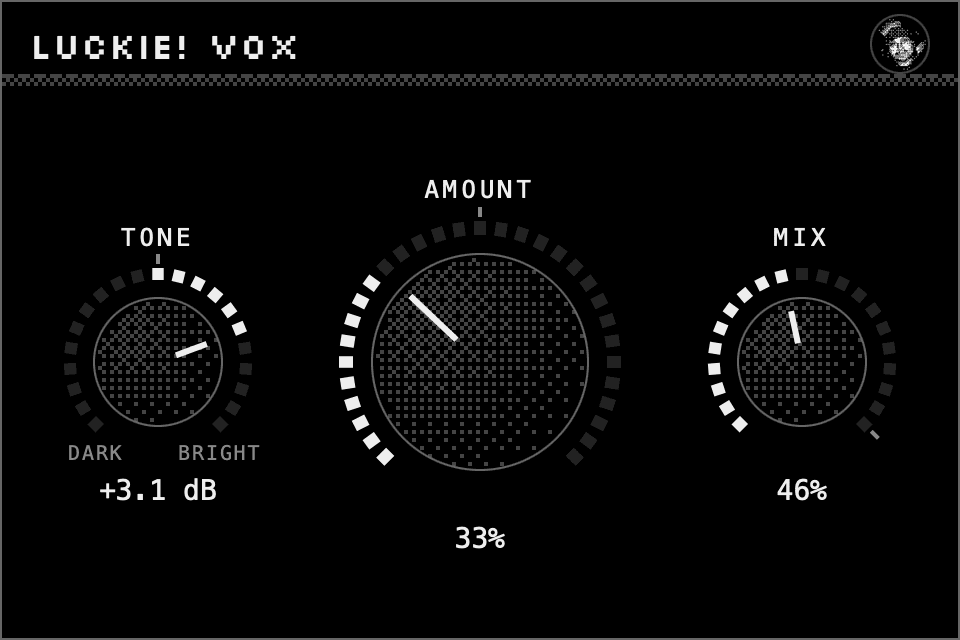
My vocal chain in one plugin. Drop it on a vocal and it sounds like my mixes. Three knobs: Amount, Tone, Mix.
No latency, so you can track through it.
In Logic
Audio FX → luckie! → luckie! Vox. Starting points for luckie!'s go-to, Tracking, Hook, Ad-libs and Gentle are in the preset menu at the top of the plugin window.
Input level
It works best when the loud phrases of your vocal peak around −6 dB going in. If your recording is quieter, turn up the region's Gain in Logic before the plugin, rather than pushing Amount.
Uninstall file
luckie! Vox.component
Install
- Open the file you downloaded. Your Mac says it can't check it, because I'm an independent developer without an Apple account. Click Done.
- Open System Settings → Privacy & Security. Scroll down and click Open Anyway next to the file's name, then enter your password.
- Click through the installer. That's it: no more pop-ups.
Find it in Logic
Restart Logic, then look under Audio FX → luckie!. If it's missing, go to Logic Pro → Settings → Plug-in Manager, select it and click Reset & Rescan Selection.
Update
Download and run the installer again. It replaces the old version, and your sessions keep their settings.
Uninstall
In Finder, Go → Go to Folder, paste /Library/Audio/Plug-Ins/Components, and move the plugin's file (its name is listed under each plugin above) to the Bin. Your Mac asks for your password. Restart Logic afterwards.
More from luckie!
Licence
Free to use on any music, including releases you sell. Provided as is, with no warranty. Please share this page rather than the installer files.